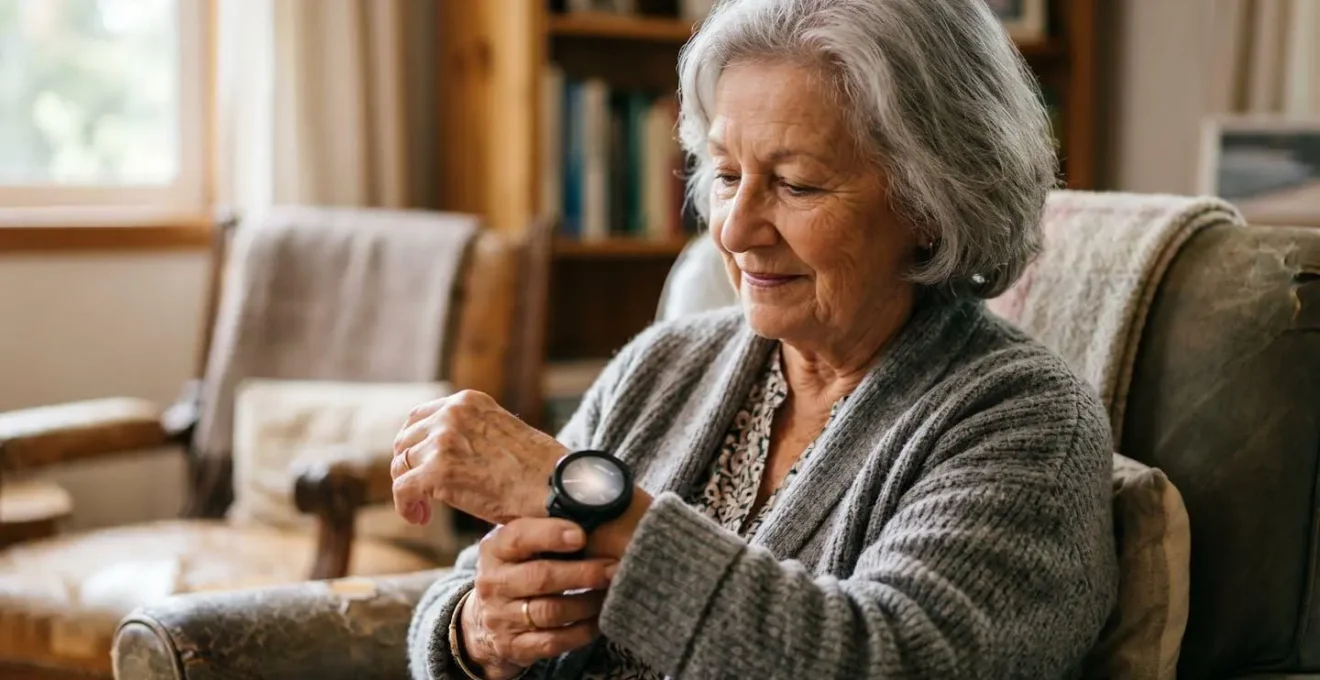
The Apple Watch (Series 4+) is the superior choice for high-stakes senior safety monitoring due to its FDA-cleared ECG, fall detection, and robust caregiver ecosystem (Family Setup).
- The core difference lies in sensor technology: Apple’s on-demand ECG provides clinical-grade data for diagnosis, while Fitbit’s passive PPG offers general arrhythmia screening.
- For a senior living alone without an iPhone, Apple’s Family Setup is a game-changer, turning the watch into a standalone safety and communication device managed by a caregiver.
Recommendation: For maximum safety and clinical data utility, choose an Apple Watch with cellular. For general wellness and sleep tracking with less critical safety needs, a Fitbit is a more cost-effective option.
The proliferation of wearable technology has brought medical-grade sensors from the hospital to the wrist. For seniors and their families, this promises a new era of proactive health monitoring, particularly for silent but deadly conditions like Atrial Fibrillation (AFib). The market is dominated by compelling options from Apple and Fitbit, each claiming to safeguard heart health. However, the common approach of comparing feature lists and marketing slogans is fundamentally flawed.
Most guides will tell you to check for heart rate tracking, sleep monitoring, or battery life. While these are factors, they miss the critical technical distinctions that determine whether a device is a wellness gadget or a reliable safety tool. The true value isn’t in the brand, but in the specific sensor technology, its clinical validation, and the ecosystem that supports its use in a real-world emergency. This isn’t about choosing a watch; it’s about deploying a personal health technology system.
This analysis moves beyond the surface-level debate. Instead of asking “which watch is better?”, we will ask “which technological approach is more effective for senior safety?”. We will deconstruct the difference between ECG and PPG sensors, establish a protocol for responding to alerts, and even address the critical question of data ownership. This guide provides the technical understanding needed to make a decision based not on marketing, but on a clear-eyed assessment of technological capability and operational reality.
This article provides a comprehensive technical comparison to help you choose the right device for your specific needs. From understanding the underlying medical risks to a direct feature-by-feature breakdown, you will gain the expertise to make an informed decision.
Summary: A Technical Guide to Smartwatches for Senior Heart Health
- Why Is Atrial Fibrillation the Leading Cause of Severe Strokes in Over-75s?
- ECG vs PPG Sensors: Which One Actually Saves Lives?
- Palpitations: When to Call 999 and When to Just Sit Down?
- How to Improve Your HRV Score to reduce Cardiac Stress?
- How to Use a Pulse Oximeter Correctly When You Have Cold Hands?
- Who Owns Your Heart Data: Insurance Companies or You?
- How to Set Up an Apple Watch for a Senior with No Tech Skills?
- Fitbit or Apple Watch: Which Health Tracker Is Best for Senior Safety?
Why Is Atrial Fibrillation the Leading Cause of Severe Strokes in Over-75s?
Atrial Fibrillation (AFib) is more than just an irregular heartbeat; it’s a primary hemodynamic risk factor for devastating ischemic strokes. In a heart with AFib, the upper chambers (atria) beat chaotically, failing to effectively pump blood into the lower chambers (ventricles). This allows blood to pool and stagnate, creating an ideal environment for blood clots to form. When one of these clots breaks free, it can travel to the brain, block a major artery, and cause a stroke. For individuals over 75, this risk is magnified due to age-related changes in the cardiovascular system.
The strokes caused by AFib are often more severe and disabling than strokes from other causes. Data from a 2024 prospective cohort study highlights this disparity, showing a median NIHSS stroke severity score of 12 for female AFib patients versus 8 for males, indicating a significantly worse outcome, particularly for women. Overall, research shows that 15% to 20% of all strokes in the U.S. are directly attributable to AFib, making it a major public health concern.
The most insidious aspect of this condition is “silent AFib.” Many seniors experience no noticeable symptoms like palpitations or shortness of breath. The arrhythmia is only discovered after a stroke has already occurred. A retrospective cohort study frighteningly revealed a 23% assumed two-year prevalence of silent AFib in a high-risk population. This is precisely where wearable technology finds its purpose: to unmask the silent threat by providing continuous or on-demand monitoring, turning a reactive diagnosis into a proactive opportunity for intervention.
Effectively, a wearable is not just tracking heart rate; it’s standing guard against a primary catalyst for severe neurological damage in the senior population.
ECG vs PPG Sensors: Which One Actually Saves Lives?
The core of the smartwatch debate lies in understanding two fundamentally different technologies: photoplethysmography (PPG) and electrocardiogram (ECG). While both monitor the heart, they do so with vastly different methods and clinical implications. Knowing this difference is key to assessing a device’s life-saving potential.
PPG is the technology behind the green blinking lights on the back of almost every fitness tracker and smartwatch. It works by shining light into the skin and measuring the amount of light reflected by blood flow. More blood means less light reflected. This allows the watch to estimate heart rate and detect patterns of irregularity over long periods. This is a “passive” screening tool. It’s excellent for 24/7 background monitoring to flag potential arrhythmias, but it cannot diagnose AFib. It can only tell you that “something might be wrong.”
This is where the technical nuance of a medical-grade sensor becomes critical for understanding its real-world application.
ECG technology, on the other hand, is an “active” diagnostic aid. Found in devices like the Apple Watch, it requires the user to intentionally complete a circuit by touching a digital crown or bezel. This creates a single-lead electrocardiogram that measures the heart’s electrical signals directly. The resulting waveform is what a doctor would use to definitively identify or rule out AFib during that 30-second reading. It provides clinically actionable data. A systematic review of data from over 17,000 patients confirmed the power of this approach, finding that smartwatches showed 94.81% sensitivity and 96.12% specificity for detecting AFib when using these advanced methods.
So, which one saves lives? The answer is both, working in concert. The PPG sensor is the smoke detector, running silently in the background, ready to sound an alarm. The ECG sensor is the fire extinguisher, the tool you actively deploy to confirm the threat and take decisive action. A device with only PPG can alert you to a problem, but a device with both PPG and ECG allows you to screen, confirm, and provide a high-quality data report to your physician, significantly accelerating the path to treatment.
Ultimately, a life-saving device is one that offers not just an alert, but the data fidelity required for a confident clinical response.
Palpitations: When to Call 999 and When to Just Sit Down?
Receiving an “irregular rhythm” notification or feeling a heart palpitation can be alarming. The critical question becomes: is this a life-threatening emergency or a transient event? A smartwatch equipped with an ECG provides the data to help make this triage decision, but only if you follow a clear protocol. Panicking is counterproductive; a methodical approach is essential.
The first step is always to stop, sit down, and remain calm and still. Physical or emotional stress can influence heart rate and interfere with sensor readings. Rest your arm on a stable surface to minimize electrical noise from muscle movement. Only then should you initiate an ECG reading. This controlled environment is crucial for capturing a clean, interpretable signal. An “inconclusive” reading is often a result of user error—moving, talking, or having a poor sensor connection—rather than a device malfunction.
The smartwatch ECG result provides the primary fork in the decision tree. If the result is “Atrial Fibrillation,” this is not typically a 999-level emergency unless accompanied by severe symptoms. The correct protocol is to contact your doctor or a telehealth service within 24 hours. You should export the ECG reading as a PDF and note any associated symptoms like dizziness, sweating, or shortness of breath. If the reading shows “Sinus Rhythm” (a normal heartbeat) but symptoms persist, you should continue to monitor. If the feeling doesn’t resolve or worsens, seeking medical advice is still the prudent course of action.
There are, however, absolute red lines that bypass the watch entirely. You must call emergency services immediately if you experience chest pain, severe dizziness that prevents you from standing, difficulty breathing while at rest, or a loss of consciousness. These symptoms indicate a potential cardiac event like a heart attack that a wearable’s AFib algorithm is not designed to detect. In these scenarios, the watch is irrelevant; immediate medical intervention is the only priority. Using your device as a triage tool requires understanding both its capabilities and its critical limitations.
A smart protocol transforms a moment of anxiety into a structured, data-driven response that ensures appropriate and timely care.
How to Improve Your HRV Score to reduce Cardiac Stress?
Beyond detecting acute events like AFib, advanced smartwatches offer a powerful tool for proactive health management: Heart Rate Variability (HRV). HRV is the measurement of the variation in time between consecutive heartbeats. A higher HRV generally indicates a well-rested, resilient, and low-stress physiological state, managed by the parasympathetic (“rest and digest”) nervous system. Conversely, a chronically low HRV can signal fatigue, over-stress, or illness. For seniors, tracking HRV is not about chasing a high score, but about understanding and managing cardiac stress.
The most effective strategy for improving HRV is not intense exercise but consistent, mindful practice. Smartwatches include guided breathing apps for a reason. Engaging in 3-5 minutes of slow, diaphragmatic breathing daily can immediately activate the vagus nerve and shift the autonomic nervous system towards a parasympathetic state, which can be reflected in your HRV measurements. This is a direct biofeedback loop: you perform a calming action and can see its physiological impact in the data.
For seniors, the focus should be on nightly HRV trends rather than individual scores. A consistent HRV range from night to night is a strong indicator of good recovery and stable cardiac load. A sudden, sharp decline in your HRV trend over several days, without a clear cause like a poor night’s sleep or illness, is a significant data point. It may suggest your body is under increased physiological stress and warrants a discussion with your doctor. The goal is stability and recognizing deviations from your personal baseline. Key actions to support stable HRV include:
- Prioritizing Sleep Quality: Aim for 7-8 hours, focusing on deep sleep stages where the body performs most of its recovery.
- Gentle, Consistent Activity: Daily walks and light stretching are more beneficial for stable HRV in seniors than sporadic, intense workouts.
- Hydration and Nutrition: Monitor how your body’s HRV responds to changes in diet, alcohol intake, and hydration levels.
ECG on wearables is super high value for a small segment. It is probably going to be more advantageous to our users over 50 than 20-year-olds
– Dr. Conor Heneghan, Director of Research Algorithms at Fitbit, Wareable – Best ECG smartwatch guide
This expert opinion underscores that advanced features like ECG and the data they generate, including HRV, offer the most significant clinical advantages to the senior population. It is a tool for long-term cardiac health management, not just acute event detection.
By using HRV as a personal biofeedback tool, you can move from passively tracking health to actively managing your body’s resilience and stress levels.
How to Use a Pulse Oximeter Correctly When You Have Cold Hands?
While smartwatches excel at heart rhythm analysis, many seniors also rely on a separate, crucial device: the pulse oximeter. This small, clip-on device measures blood oxygen saturation (SpO2), a vital sign that can indicate respiratory distress. However, obtaining an accurate reading can be notoriously difficult, especially for seniors who often have circulatory issues or cold extremities. A low reading can cause unnecessary alarm, but it’s frequently the result of poor peripheral perfusion, not a genuine medical crisis.
The fundamental principle of pulse oximetry involves shining red and infrared light through a fingertip. The sensor measures how much light is absorbed by oxygenated versus deoxygenated hemoglobin. If blood flow to the finger is weak (vasoconstriction) due to cold, the signal becomes faint and unreliable, leading to an erroneously low or absent reading. Therefore, warming the hand and finger before measurement is not just a helpful tip; it is a mandatory step for ensuring data accuracy.
Before placing the oximeter on the finger, a simple warm-up protocol should be performed. This involves vigorously rubbing the hands together, gently massaging the finger from base to tip, or running the fingertip under warm (not hot) water. This process actively encourages blood flow to the periphery, ensuring the sensor has a strong, pulsatile signal to measure. Additionally, factors like dark nail polish can physically obstruct the light, and must be removed from the finger being tested. The user must also remain completely still during the 30-second measurement, with their hand resting at heart level.
If a low reading appears, the first step is not to panic, but to verify the data. Immediately re-test on a different finger after performing the warm-up protocol. If that still yields a low reading, test a finger on the opposite hand. A single odd reading is likely a sensor or perfusion error. Consistent, low readings across multiple, warmed fingers are what warrant a call to a healthcare provider. Correctly operating a pulse oximeter means becoming a proficient troubleshooter of its most common failure point: the cold hand.
By mastering this simple warm-up protocol, you can eliminate the most common source of error and trust the data your device provides.
Who Owns Your Heart Data: Insurance Companies or You?
The moment a smartwatch records your heart rhythm, it creates a digital asset—a piece of highly sensitive personal health information. As these devices become more widespread, with about 30% of Americans using wearable devices, a critical question of data sovereignty emerges. Who owns this data? Who can access it? And under what conditions? For a senior, the data from their watch could impact everything from telehealth consultations to insurance premiums.
In most Western legal frameworks, such as under HIPAA in the United States or GDPR in Europe, the data you generate is legally yours. Device manufacturers like Apple and Google (which owns Fitbit) are considered data custodians. They have a legal responsibility to protect your data and can only use it in ways you have explicitly consented to, as outlined in their privacy policies. This typically involves using anonymized, aggregated data for research and product improvement. Both Apple and Fitbit have strong public stances on user privacy, with Apple, in particular, making on-device processing and end-to-end encryption central to its brand identity.
The complexity arises when you choose to share that data. When you export your ECG as a PDF to email to your doctor, you are moving it from the manufacturer’s secure ecosystem into a less secure one. When you connect your health app to a third-party wellness program or, hypothetically, an insurance-sponsored health initiative, you are granting access. This is where the user must become a vigilant gatekeeper. The critical action is to read the consent forms. Before linking any service, you must understand precisely what data is being shared, with whom, and for what purpose.
The concern that an insurance company could use a “bad” ECG reading to raise premiums is valid, but currently, it is more of a future risk than a present reality in most regulated insurance markets. Life and disability insurers may ask about known conditions, but they cannot currently subpoena your watch’s raw data without your consent. However, as these devices become more integrated into formal healthcare systems, the lines will blur. The ultimate responsibility for privacy rests with the user. Your data is yours, but only as long as you actively protect your ownership of it.
Treating your health data with the same security and discretion as your financial data is the new literacy of the digital health age.
How to Set Up an Apple Watch for a Senior with No Tech Skills?
The Apple Watch is a powerful safety device, but its full potential for a non-technical senior can only be unlocked through a feature called Family Setup. This allows a caregiver (e.g., a child or spouse) to fully configure, manage, and monitor a cellular Apple Watch from their own iPhone, without the senior needing an iPhone of their own. This transforms the watch from a smartphone accessory into a standalone health and communication hub. The setup is methodical but essential for deploying the device’s full safety net.
The process begins with the caregiver, who acts as the “Family Organizer.” They must ensure the hardware is correct: a cellular model of an Apple Watch Series 4 or later for the senior, and an iPhone for themselves. The core of the setup is creating separate Apple IDs for both the caregiver and the senior, each secured with two-factor authentication. This digital identity is the foundation for all health data sharing and communication. Once the Apple IDs are in place, the organizer invites the senior’s ID into a “Family Sharing” group via their iPhone settings.
With the digital groundwork laid, the physical pairing can begin. The caregiver holds the powered-on watch near their iPhone, which automatically detects it and prompts them to “Set Up for a Family Member.” From this point on, the caregiver’s iPhone becomes the command center. They can set a passcode, choose larger text sizes for better readability, and most importantly, configure the passive monitoring features. This includes enabling crucial safety nets like Fall Detection, irregular rhythm notifications, and high/low heart rate alerts. They can also curate a list of shared emergency contacts who will be notified if fall detection is triggered.
Your Action Plan: Configuring an Apple Watch with Family Setup
- Verify Hardware: Ensure you have an Apple Watch (Series 4 or later, cellular model) and an organizer’s iPhone (6s or later).
- Establish Digital Identities: Create or verify Apple IDs for both the organizer and the senior family member, ensuring two-factor authentication is active on both.
- Form the Family Group: On the organizer’s iPhone, set up a Family Sharing group and add the senior’s Apple ID.
- Pair the Device: Power on the watch, hold it near the organizer’s iPhone, and select “Set Up for a Family Member” when prompted. Follow the on-screen pairing instructions.
- Configure Core Safety Features: From the organizer’s iPhone, enable Fall Detection, irregular rhythm notifications, and high/low heart rate alerts. Populate the Medical ID with emergency contacts and health conditions.
The final and most important step is a joint training session. The caregiver should walk the senior through how to take an ECG, how to use the SOS feature, and what the different alerts mean. This hands-on orientation is critical for ensuring that in a real emergency, the senior knows how to operate their life-line, and the caregiver has confidence that the system is properly configured.
A properly configured watch is more than a piece of technology; it’s a co-managed safety and communication system that provides peace of mind for the entire family.
Key Takeaways
- AFib is a Serious Stroke Risk: The primary reason for monitoring AFib in seniors is its direct link to severe, disabling strokes. Silent, asymptomatic AFib is common.
- ECG is for Diagnosis, PPG is for Screening: An ECG sensor (like on Apple Watch) provides clinically actionable data for a doctor, while a PPG sensor (on most trackers) provides general arrhythmia alerts.
- Protocol Over Panic: Your response to a palpitation or alert should be methodical. Sit, rest, take a reading, and then triage based on the result and symptoms. Call emergency services for chest pain or severe dizziness, regardless of the watch reading.
Fitbit or Apple Watch: Which Health Tracker Is Best for Senior Safety?
When the criteria are narrowed to senior safety, particularly for an individual who may live alone, the comparison between Fitbit and Apple Watch becomes less about wellness features and more about the robustness of their emergency ecosystems. While both offer valuable health insights, their core design philosophies lead to a clear differentiation in their suitability as safety devices. The choice hinges on one key question: is the device a personal wellness tracker or a managed safety lifeline?
Fitbit devices, including the Sense and Versa series, are excellent health and wellness trackers. Their strengths lie in multi-day battery life and superb sleep tracking analytics via Fitbit Premium. For AFib, they use PPG-based irregular rhythm notifications to screen for potential issues. However, they lack two critical features for high-stakes senior safety: FDA-cleared, on-demand ECG and automatic fall detection. Furthermore, their ecosystem is built around the individual user; they require the senior to have and manage their own smartphone, with limited options for caregiver monitoring.
The Apple Watch, particularly a cellular model from Series 4 onwards, is designed with a more acute safety focus. Its trifecta of features—(1) an FDA-cleared ECG app for on-demand rhythm analysis, (2) automatic fall detection that can autonomously call emergency services and notify contacts, and (3) the Family Setup ecosystem—creates a comprehensive safety net that Fitbit cannot match. Family Setup is the decisive factor, allowing a caregiver to manage the device for a senior who doesn’t own or feel comfortable using an iPhone.
The following table presents a direct, feature-based comparison from a technical safety perspective:
| Feature | Apple Watch (Series 4+) | Fitbit (Sense/Versa) |
|---|---|---|
| Family Setup (No iPhone Needed) | Yes – Full caregiver management via iPhone | Limited – Requires user’s own smartphone |
| AFib Detection | ECG + PPG with irregular rhythm notifications (FDA-cleared) | PPG-based irregular rhythm notifications (varies by model) |
| Fall Detection | Yes – Auto-detects hard falls, calls emergency services | No native fall detection |
| Emergency SOS | Hold side button – Loud siren + auto-dial emergency | No dedicated emergency button |
| Battery Life | 18-36 hours (daily charging required) | 5-7 days (less frequent charging) |
| Initial Cost | $399-$499 (GPS+Cellular models) | $249-$329 |
| Subscription Requirements | No subscription for core health features | Fitbit Premium $9.99/month for advanced insights |
| Caregiver Monitoring | Excellent – Health Sharing with up to 5 family members | Limited sharing features |
| Data compiled from manufacturer specifications and FDA clearances as of 2024. As noted in a comparative analysis by the American College of Cardiology, the clinical utility differs significantly. | ||
As cardiac electrophysiologist Dr. Hamid Ghanbari asserts, ” the future of Afib management will be on the wrist.” The technical evidence suggests that for high-risk individuals, the device best equipped for that future is one with a robust, multi-faceted safety system. While the daily charging of an Apple Watch is a valid drawback, it is a manageable trade-off for its vastly superior emergency response and caregiver management capabilities.
Ultimately, for general fitness and wellness tracking, a Fitbit is a strong, cost-effective choice. But for the specific, high-stakes application of senior safety, the integrated hardware, software, and ecosystem of the Apple Watch provide a more reliable and comprehensive solution.