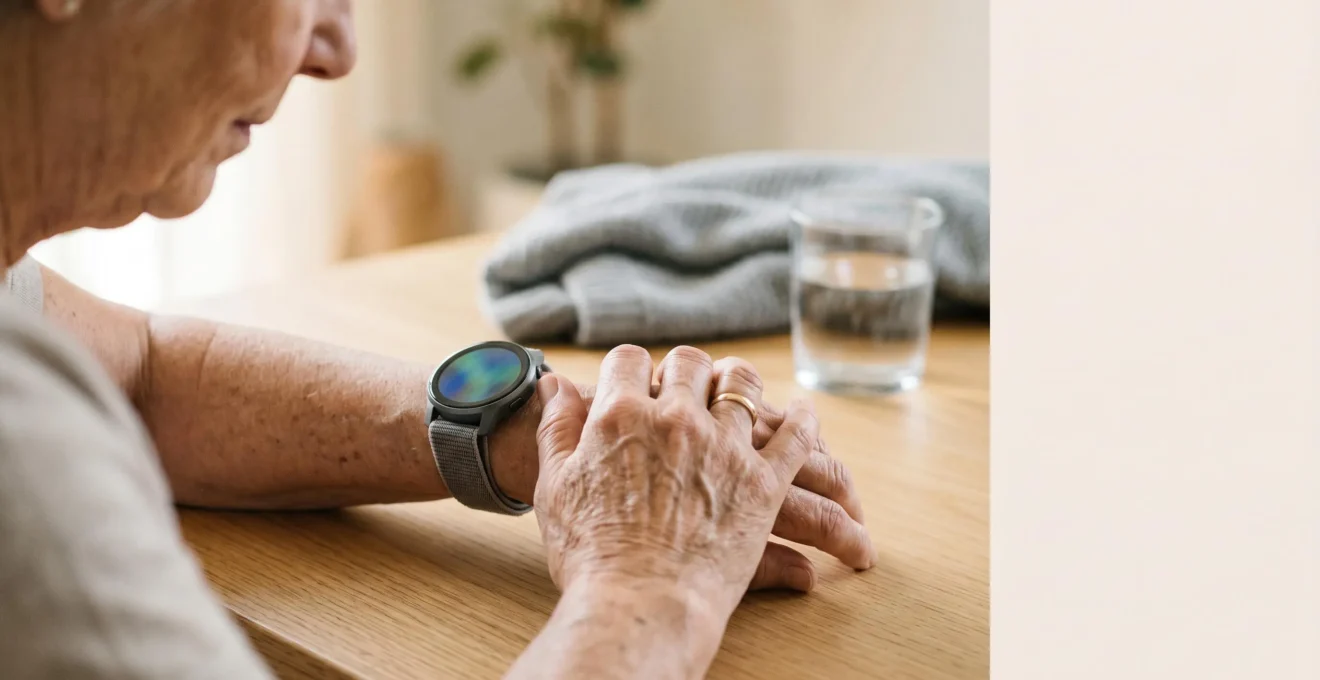
The best smartwatch for a senior isn’t the one with the most features, but the one that seamlessly integrates into their life without causing new anxieties.
- Fall detection and ECG are critical, but a consistent charging routine and understanding data privacy are what make these tools truly effective for safety and autonomy.
- Both Apple Watch and Fitbit offer powerful health screening, but they require a proactive approach to sharing data with doctors and managing the psychological load of constant monitoring.
Recommendation: Prioritize ease of use, battery life that fits their routine, and a clear plan for how health data will be used in partnership with their doctor.
Choosing a health tracker for an aging parent or for yourself often starts with a single, pressing concern: safety. The promise of automatic fall detection and heart health monitoring can feel like a powerful safety net, offering peace of mind to families. The debate quickly narrows to the two giants: Fitbit and Apple Watch. Standard reviews will list their features—ECG capabilities, battery life, and app ecosystems. While these specifications are important, they are only half the story.
The true value of a safety device lies not in its spec sheet, but in its practical, day-to-day reality. A watch with world-class fall detection is useless if its battery is dead. Advanced heart data can cause more anxiety than reassurance if it’s not understood correctly. This is where the standard comparison falls short. We need to move beyond the features and ask the critical questions about real-world use: Who actually owns your sensitive health data? When does tracking your health become detrimental to it? And how do you create a system to ensure the watch is actually on and charged when a fall happens?
This guide takes a different approach. Instead of just comparing features, we will dissect the practical and psychological challenges of integrating these powerful devices into a senior’s life. We will explore the nuances of data privacy, the risk of “health anxiety,” and the simple habits that make or break a device’s effectiveness. By focusing on these real-world scenarios, you can make a choice that provides not just features, but genuine, reliable safety and autonomy.
This article provides a detailed analysis of the critical factors beyond the marketing brochures. The following sections will guide you through the essential considerations for making an informed decision.
Summary: A Senior’s Guide to Fitbit and Apple Watch
- Who Owns Your Heart Data: Insurance Companies or You?
- The “Worried Well”: When Tracking Your Sleep Makes It Worse
- How to Export Your Watch Data to Show Your Doctor Trends?
- Charging Routines: How to Ensure the Watch Is On When You Fall?
- False Alarms: What Happens If Your Watch Calls 999 While You Are Chopping Veg?
- ECG vs PPG Sensors: Which One Actually Saves Lives?
- Unlocking the Phone: How to Put Medical Info on Your Lock Screen?
- Which Smartwatch Can Accurately Detect Atrial Fibrillation in Seniors?
Who Owns Your Heart Data: Insurance Companies or You?
When a smartwatch tracks your every heartbeat, a critical question emerges: where does that data go, and who controls it? This isn’t just a philosophical question; it has real-world implications for privacy and even insurance. While many seniors are tech-savvy, recent research highlights a significant confidence gap. One study found that while 82% of seniors understood security concepts like two-factor authentication, a mere 14% felt confident managing their privacy on health devices. This gap is where risk lies.
Both Apple and Fitbit have privacy policies stating they do not sell your Personally Identifiable Health Information (PHI). However, the nuance lies in third-party apps and wellness programs. When you grant an external app access to your health data, or voluntarily enroll in an insurance program that offers discounts for activity tracking, you are making a privacy trade-off. You are exchanging data for a service or benefit. The key is to make this an informed decision. The primary risk isn’t from the watch manufacturer, but from the web of services you connect to it.
Understanding and managing these connections is fundamental to maintaining control. You must become the gatekeeper of your own data, regularly auditing which apps have access and understanding the terms you agree to. True data ownership is not a default setting; it’s an active, ongoing practice of digital hygiene.
Action Plan: Your Health Data Privacy Checklist
- Review the Privacy Policy: Look for clear statements in your device’s policy, such as “we do not sell your Personally Identifiable Health Information (PHI),” to understand how your personal records are treated versus anonymized data for research.
- Audit Third-Party App Permissions: The real risk often comes from third-party wellness apps you grant access. Regularly check permissions on both your watch and smartphone.
- Read the Fine Print on Wellness Programs: Before enrolling in insurance programs that offer discounts for sharing data, understand exactly how it affects your premiums and what you’re trading for the benefits.
- Revoke Old Permissions: Periodically go into your Apple Health (‘Apps & Services’) or Fitbit (‘Manage Apps’) settings and remove access for any apps you no longer use or trust.
- Enable Two-Factor Authentication: Secure your core Apple or Google account with two-factor authentication to protect your synced health data from unauthorized access.
The “Worried Well”: When Tracking Your Sleep Makes It Worse
The promise of optimizing sleep is a major selling point for health trackers. However, for some, this constant stream of data can backfire, creating a new form of anxiety known as orthosomnia, or the obsession with achieving perfect sleep scores. This fixation can lead to a vicious cycle where worrying about sleep actually worsens it. Researchers have noted a concerning trend, as explained in The Journal of Clinical Sleep Medicine:
There are a growing number of patients who are seeking treatment for self-diagnosed sleep disturbances such as insufficient sleep duration and insomnia due to periods of light or restless sleep observed on their sleep tracker data.
– Researchers from The Journal of Clinical Sleep Medicine, Study on orthosomnia clinical implications
This phenomenon is not rare. A 2024 cross-sectional study found that orthosomnia prevalence among tracker users ranged from 3% to 14%, with these individuals showing higher scores for insomnia. The problem is mistaking data for diagnosis. A night of “light sleep” on your watch isn’t necessarily a bad night’s rest. Our bodies naturally cycle through different sleep stages, and these trackers are consumer-grade tools, not clinical polysomnography machines. They provide signals, not definitive truths.
To combat this, adopt a “Weekly Review, Daily Ignore” philosophy. Don’t obsess over nightly scores. Instead, look at weekly trends. Is your average sleep duration decreasing? Is your resting heart rate consistently elevated? These trends are the valuable “signal” you should discuss with a doctor, while the nightly fluctuations are often just “noise.” The goal is to use the data as a tool for awareness, not a source of anxiety.
As the image suggests, sometimes the healthiest action is to turn the screen away and trust your body. By focusing on long-term trends rather than nightly perfection, you can harness the benefits of sleep tracking without falling into the anxiety trap. This shifts the device from a source of stress to a valuable partner in your long-term health journey.
How to Export Your Watch Data to Show Your Doctor Trends?
One of the most powerful uses of a smartwatch is its ability to collect long-term health data that can be invaluable during a doctor’s visit. A single blood pressure reading in a clinic is a snapshot; three months of resting heart rate data is a feature film. It provides context and reveals trends that might otherwise be missed. However, simply showing up with a watch is not enough. You need a strategy to present this information in a way that is helpful, not overwhelming, for your physician. Both Apple Health and Fitbit have different methods for this, with distinct advantages and disadvantages.
The goal is to frame yourself as a data-informed partner in your own care. Instead of self-diagnosing, you are providing your doctor with additional information to aid their professional judgment. Comparing the export capabilities of both platforms is crucial for seniors who want to use this feature effectively.
| Feature | Apple Health (iPhone/Watch) | Fitbit |
|---|---|---|
| Native Export Format | XML (complex, requires conversion) | Dashboard screenshots, limited CSV |
| Doctor-Friendly Formats | Requires third-party apps for PDF/CSV | PDF export from web dashboard |
| Direct Provider Sharing | Yes – ‘Share with Provider’ feature integrates with US EHR systems | No – manual export and email required |
| Metrics Seniors Should Export | Resting heart rate, HRV, walking steadiness, fall detection events, ECG, blood oxygen | Resting heart rate, sleep score, active zone minutes, heart rate variability (Premium only) |
| Date Range Selection | All-or-nothing native; date range via third-party apps | Custom date ranges in web dashboard |
| Ease for Non-Technical Seniors | Moderate – ‘Share with Provider’ is simple, full export is technical | Easy – web dashboard is intuitive |
Regardless of the device, your approach matters. Prepare your data ahead of time and know what you want to discuss. Here is a practical guide:
- Focus on High-Value Metrics: Before the appointment, identify what matters most. For seniors, this often includes resting heart rate trends, heart rate variability (HRV), walking steadiness/gait speed (a key fall risk predictor in Apple Health), and any flagged ECG readings.
- Export in a Usable Format: For Fitbit, use the web dashboard to print a PDF of the specific metric over 4-12 weeks. For Apple Watch, the ‘Share with Provider’ feature is simplest if your doctor’s US-based system is supported. Otherwise, a third-party app like ‘Health Auto Export’ can create a clean PDF.
- Use the “Doctor’s Visit Script”: When presenting, frame it collaboratively. Say, “Doctor, I’m not diagnosing anything, but my watch flagged this trend in my resting heart rate over the last month. Could we look at it together?” This makes you a partner, not an adversary.
Charging Routines: How to Ensure the Watch Is On When You Fall?
A smartwatch’s most critical safety features, like fall detection and emergency SOS, are entirely dependent on one simple factor: battery life. A dead watch protects no one. This creates a low-grade but persistent “battery anxiety” that is surprisingly common. In fact, recent smartwatch usage research shows that 73% of users experience this daily concern. For seniors relying on their device for safety, this anxiety is amplified. The solution isn’t a bigger battery, but a better routine.
The most effective strategy is a psychological one called habit-stacking. This involves linking the new habit you want to form (charging your watch) with an existing, automatic habit you already perform daily. Instead of trying to remember to charge your watch out of the blue, you anchor it to something you never forget. This removes the mental load of remembering and makes the action automatic over time.
Consider these practical examples of habit-stacking for charging:
- The “Bedside” Stack: Place the charger on your nightstand. The existing habit is putting on your reading glasses or taking evening medication. The new habit is: “After I put my pills in my hand, I will place my watch on the charger.”
- The “Morning Shower” Stack: If you prefer to wear the watch for sleep tracking, use your morning routine. The existing habit is getting in the shower. The new habit is: “Before I step into the shower, I will place my watch on the charger in the bathroom.” Even a 20-minute charge can add significant power.
- The “Evening Wind-Down” Stack: If you read or watch TV for an hour before bed, this is the perfect charging window. “When I sit down in my recliner, I will take off my watch and put it on the charger next to me.”
The key is consistency. Choose one routine and stick to it. The physical placement of the charger acts as a visual cue, and linking the action to an ingrained habit makes it nearly effortless within a few weeks. This simple system is the most reliable way to conquer battery anxiety and ensure your safety net is always active.
False Alarms: What Happens If Your Watch Calls 999 While You Are Chopping Veg?
One of the unspoken fears of owning a device with automatic fall detection is the dreaded false alarm. You’re gardening, you drop a tool, and bend over quickly. Or perhaps you’re vigorously chopping vegetables for dinner and bring the knife down with a hard thud. Suddenly, your wrist vibrates frantically, a loud alarm sounds, and a countdown to calling emergency services begins. It’s a startling experience that can cause panic and embarrassment.
First, it’s crucial to understand what happens and how to stop it. Both Apple Watch and Fitbit have a built-in buffer. When a potential hard fall is detected, the device will:
- Vibrate and Sound an Alarm: It will provide strong haptic feedback and an audible siren to get your attention.
- Display an On-Screen Prompt: A large message will appear on the screen, typically with two options: “I’m OK” or “Emergency SOS.”
- Start a Countdown: It will begin a countdown (usually 30-60 seconds) before automatically placing a call to emergency services.
During this countdown, you have ample time to cancel the alert by simply tapping “I’m OK” on the screen. The system is designed to be cancelled easily by a conscious person. The automatic call only proceeds if you are unresponsive. Knowing this simple cancellation process is the first step to alleviating the fear of false alarms.
However, the psychological impact is also real. There’s the “cry wolf” fear—what if it calls by mistake and emergency services show up? This can be particularly concerning for seniors who value their independence and don’t want to be seen as a bother. It’s important to remember that emergency dispatchers are trained for these scenarios. A cancelled call is a non-event for them. It is far better to have a system that is slightly over-sensitive and generates a few false alarms than one that is under-sensitive and misses a real fall. The momentary embarrassment of a false alarm is a small price to pay for the security of knowing help will be called if you truly need it.
ECG vs PPG Sensors: Which One Actually Saves Lives?
When discussing heart health on smartwatches, two acronyms constantly appear: ECG and PPG. They sound similar, but they perform vastly different jobs. Understanding the distinction is key to knowing what your watch can and cannot do for your cardiovascular health. It’s not a question of which one is better; they are a team, each playing a unique and vital role.
Think of the PPG sensor as the 24/7 watchman. PPG, or photoplethysmography, is the technology behind the green lights that flash on the back of your watch. It works by shining light into your skin and measuring how much is absorbed or reflected by your blood flow. By doing this hundreds of times per second, it can calculate your heart rate. More importantly, it can run in the background, periodically checking your heart rhythm for irregularities. If it detects a pattern consistent with something like Atrial Fibrillation (AFib), it sends you a notification. This is your early warning system.
The ECG sensor, on the other hand, is the on-demand specialist. An ECG, or electrocardiogram, doesn’t run in the background. It requires you to actively take a measurement, usually by touching the digital crown or a sensor on the watch. It works by creating a circuit across your body to measure the electrical signals from your heart. This provides a much more detailed, single-lead ECG tracing, similar to what you might get in a doctor’s office. This is the tool you use to confirm or investigate a notification from the PPG sensor. The resulting ECG waveform can be saved as a PDF and shown to your doctor.
So, which one saves lives? Both. The PPG watchman patrols for trouble, and the ECG specialist helps confirm if the trouble is real. The PPG might flag ten potential issues to get one confirmed AFib case, but without that initial, passive monitoring, the user might never know to perform the ECG test. This two-part system—passive detection followed by active confirmation—is what makes these devices such powerful screening tools for heart health.
Unlocking the Phone: How to Put Medical Info on Your Lock Screen?
In an emergency, you may be unable to communicate. First responders are trained to look for medical alert bracelets, but they are also increasingly trained to check a person’s smartphone for critical information. A locked phone is a barrier to this vital data. Both iPhones and Android phones have a built-in feature that allows you to make essential medical information and emergency contacts accessible directly from the lock screen, without needing a passcode.
Setting this up is one of the most important safety actions you can take, and it only takes a few minutes. It ensures that your blood type, allergies, medical conditions, and who to call can be found instantly by anyone trying to help you. This feature is not enabled by default; you must set it up proactively.
For iPhone Users (Medical ID): The feature is called Medical ID and is part of the Health app.
- Open the Health app and tap your profile picture in the top-right corner.
- Select Medical ID.
- Tap Edit in the top-right corner.
- Ensure that “Show When Locked” is enabled (toggled to green).
- Fill in your medical conditions, allergies, medications, blood type, and add emergency contacts. Your contacts must be in your phone’s address book to be added.
- Tap Done to save. Now, from the lock screen, anyone can tap “Emergency” then “Medical ID” to see this info.
For Android Users (Emergency Information): The name and location can vary slightly by manufacturer, but it is typically found in Settings.
- Open the Settings app on your phone.
- Use the search bar at the top and type “Emergency Information” or “Emergency Contacts”. Select it from the results.
- Tap to add your medical information (allergies, blood type, etc.) and to add emergency contacts.
- This information can now be accessed from the lock screen by swiping up and tapping the “Emergency Call” or “Emergency” button.
This simple, free feature transforms your phone from a personal device into a life-saving tool. It’s a digital version of a medical alert bracelet that you already carry with you everywhere.
Key Takeaways
- A watch’s safety features are only as good as its battery. A consistent charging routine using “habit-stacking” is non-negotiable.
- You are the gatekeeper of your health data. Actively manage app permissions and understand the privacy trade-offs of insurance wellness programs.
- Use health data for trends, not nightly diagnosis. Discuss long-term patterns with your doctor to avoid “orthosomnia” and health anxiety.
Which Smartwatch Can Accurately Detect Atrial Fibrillation in Seniors?
Atrial Fibrillation (AFib) is a leading cause of stroke, and its risk increases with age. Because it can be asymptomatic, it often goes undetected. This is where smartwatches have become game-changers, acting as accessible, personal screening tools. Both Apple and Fitbit have models with features cleared by the FDA in the US and holding CE marks in Europe for detecting signs of AFib.
The most well-known is the Apple Watch (Series 4 and newer). It employs the two-pronged system we discussed earlier. The PPG sensor passively monitors for an irregular rhythm in the background. If it detects something suspicious over a 65-minute period, it sends a notification. The user can then use the ECG app to take a 30-second, on-demand reading to classify the rhythm as Sinus Rhythm (normal), Atrial Fibrillation, or inconclusive. This system has been clinically validated and is considered a robust screening tool.
Fitbit also offers this capability on its premium devices, such as the Sense and Charge series (5 and newer). Their approach is similar. An Irregular Heart Rhythm Notifications feature uses the PPG sensor for background scanning. If signs of AFib are detected, it alerts the user. They can then use the on-demand ECG app to record a tracing to share with their doctor. Both ecosystems effectively do the same job: passive screening followed by active confirmation.
The most critical point to understand is that these devices are screening tools, not diagnostic tools. A notification of AFib from your watch is not a diagnosis. It is a highly credible signal that you need to make an appointment with your doctor. The PDF of the ECG you generate is valuable data for that appointment, but only a qualified physician can provide an official diagnosis and create a treatment plan. These watches empower you to be proactive about your heart health, but they do not replace professional medical care.
Ultimately, the choice between Fitbit and Apple Watch depends on the individual’s technical comfort, lifestyle, and existing ecosystem. The next logical step is to discuss these options with family and, most importantly, a healthcare provider to determine which tool best supports your personal health and safety goals.